What is this? Forge news for Halo 5? Awesome! But today, 343 Industries has announced some huge features regarding to Halo 5’s Forge!
Being a forger myself, I just fanboyed and jumped out of my chair with all of these new features shown in the trailer here. With that, they have new tools in it and I got an epic rundown for you all.
Didn’t change the list/bullet points because 343 words it best!
Controller Based Editing 2.0:
You wanted more ways to control the world, I mean build your spaceship to crush your enemies… Just look at the list:
- Improved Control Scheme – Revised controls keeps users hands in the default “home” position so there’s less reaching for buttons which speeds up the building process. Don’t worry long-time Forgers, it took the Forgers we brought in a little bit to get used to but even the most hesitant were soon up and building maps at full speed.
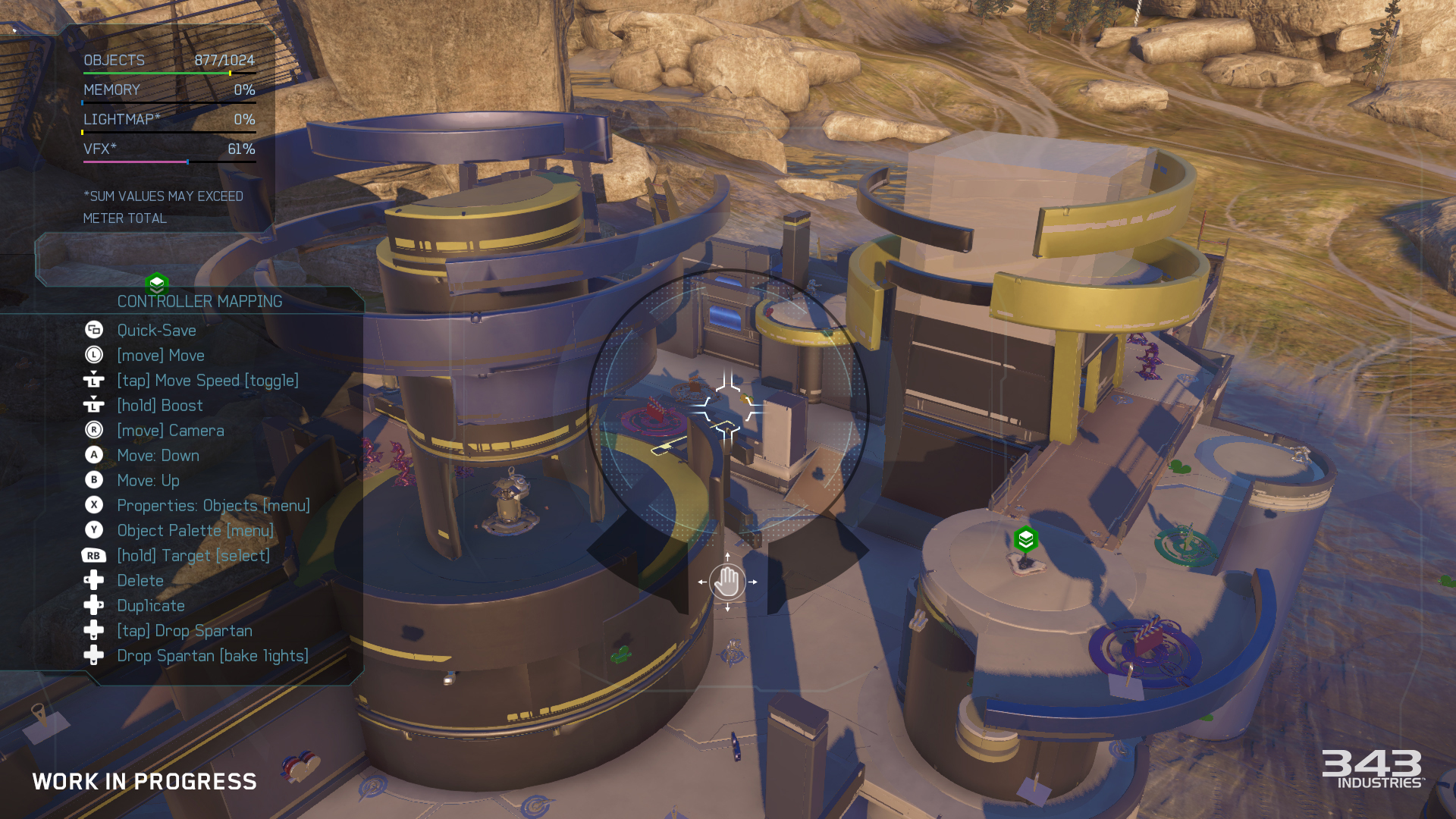
- Multi-Select/Edit – Users can select and manipulate up to 64 individual objects at one time (more if combined with Groups); movement, rotation, property editing, everything you’re able to do to a single object.
- Free Camera – The camera no longer snaps to objects being edited. Users can freely position the camera to find the best vantage point to edit from. To orbit around selected objects like past Forges, simply click the right-stick to “lock on” to the objects and click again to cycle between multiple zoom levels.
- Contextual Control Helper – This lets the user see, in real time, what each controller input does. Users can change from “basic” settings to learn the ropes, “advanced” for the power user controls, or turn the helper off once everything becomes second nature.
- Grid/Rotation Snaps – Switch between multiple grid/rotation snap settings quickly to help align objects perfectly with each other. The bulk of the Forge specific assets are built to a grid so they interact perfectly with each other, making building even easier. There’s even a very small grid snap that can be used to fix z-fighting without making “bumps” or very precise grid editing.
- Precision Editing – Precision editing returns to enable fine tuning of object placement. On top of that, there’s a power user trick we call “double analog” precision that allows for even finer manipulation.
- Smart Magnets – Magnets no longer snap objects while moving them around. Instead they draw connection lines between magnets that will snap when the input is released. Additionally the camera can be aimed at magnets to influence which ones will snap giving extra precision when building with magnets.
Groups and Welding
I sense a foreign type of tool that has been brought down from the gods to make our forging lives easier! Oh wait, there is more than this?:
- Grouping – Groups can be created dynamically with a single button press. Select more objects and press the button again to add to the group or press the button again to split the group up. It’s really that simple.
- Welding – Grouped objects can optionally be welded to their “parent” object. This allows them to all physically move around together; make a soccer ball with traffic cone spikes that rolls around, or attach a weapon pad to a larger animating object.
Object Palettes
Wait, how many objects are in forge now!? They look better too!? New terrain items!? TANKS IN ARENA MAPS!? *Faints* :
- 1600+ Objects – Take that in for a minute. Previous iterations of Forge had a couple hundred. Shaun, Randal, and Ryan on our art content team have been crazy busy building LOTS of pieces from primitive shapes, structure parts, accent pieces, detail props, and gameplay objects custom built for Forge. Mix them in with things like the weapons, turrets, and power-ups makes this Forge have pretty much the ultimate building block set you wished you had when you were eight years old. I’ve been working with our art lead Wade to try and squeeze in a few last assets before we’re done; that said we’re in pretty great shape.
- New Object Types – We’ve added lots of new types of object types to Forge this time; FX emitters, decals, invisible blockers (big community request), chroma screens for machinima makers, objects for building map intros/outros, and yes, even a large adorable whale toy that we love dearly.
- Projected Terrain Pieces – Our new terrain pieces sample textures from their position on one of our Forge maps which makes them blend in almost seamlessly with the prebuilt terrain of the level when you mix them together. Watching them move around the map for the first time generally breaks people’s brains for a few minutes because it looks like voodoo. I don’t think it’s actually voodoo but instead it’s a lot of complex graphics code which might as well be.
- Unconstrained Objects – We’ve maintained keeping all of the objects in Forge “map autonomous” meaning any object can be placed on any map thanks to our engines new asset management systems. Now users can experiment and try pretty much any idea on any map. For example if you wanted to you could place a Scorpion tank in the middle of Truth. This doesn’t mean you should, but you could.
- Object Enhancements – Lots of the returning objects have new features and improvements: Dial in the amount of extra clips with weapons. Man-Cannons and Grav Lifts launch distances and heights can be tuned in their properties and show the path where the players will go when used. Teleporters output directions can now be changed it displays which way players come out facing. We have commitment to improving everything Forge, not just the new.
True Budget
Now I can finally add that extra tree I always wanted in my map!:
- Multi-Budget System – Multiple budgets based on real engine systems; max object counts, memory, etc. This means when placing something like a large terrain piece, its large texture will only eat into the memory budget once, and additional same/similar pieces will only use up the object count budget because their shared texture is already loaded.
- Higher Object Count – We’ve increased the number of objects that can be placed in a Forge map to 1024. Higher object count allows for bigger maps with more detail than possible before.
- Soft Budgets – Some budgets are “soft” meaning they can be exceeded but will cause visual artifacts/anomalies. This lets you keep building around these budgets to find the fun, then come back later to fine tune things and make the map look prettier.
Lighting. LIGHTing. LIGHTING!
Couldn’t resist! Forgers have been asking for these features forever. Just see for yourself:
- Light Objects – Place real light objects in the world to light up interior spaces or just enhance a location on a map. Light objects have a whole slew of properties; point and spot types, light color/distance/falloff, light cone shape/size, lens flairs, and “gobos” (the pattern projected from the light); customize pretty much every facet of the light imaginable.
- Light Fixtures – Additional light fixture objects such as light posts, beacon lights, etc. that come with lights built into them making it possible to set dress and light a space at the same time.
- Opt-in Light Bake – We no longer automatically generate the lighting every time the Spartan is dropped in to test gameplay. Tap the button to quick drop the Spartan or hold it down to render the lights before.
- Shadow Clamp – Change the clamp to prevent shadowed spots from getting too dark. Another great use for this is when building, it can be cranked up to help keep everything easier to see before doing a lighting pass.
Forge Canvases
“Just look at these beauties.”
While you can Forge on any Arena/Breakout map, they’ve built three additional large maps custom tailored to maximize Forge-ability.
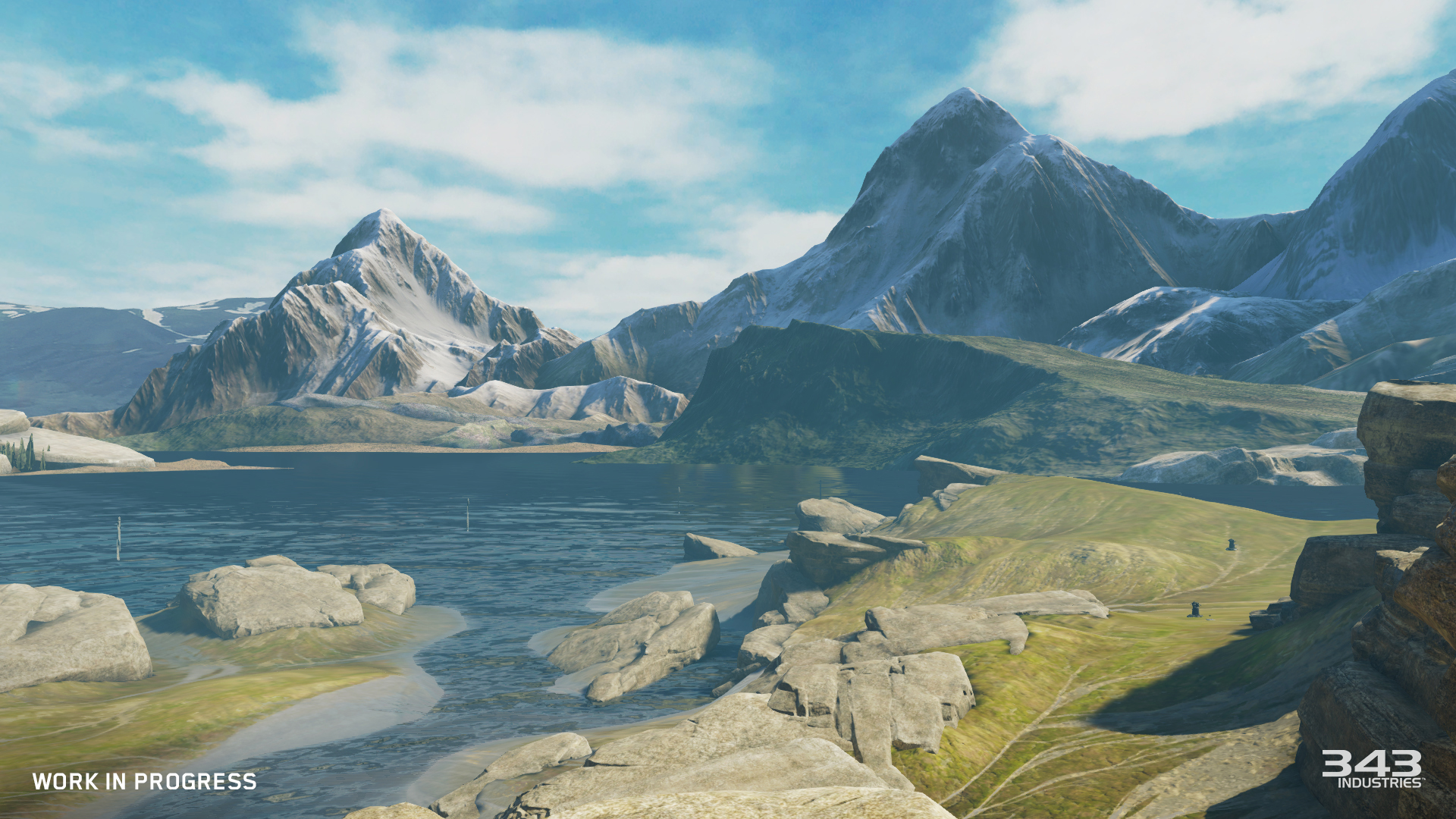
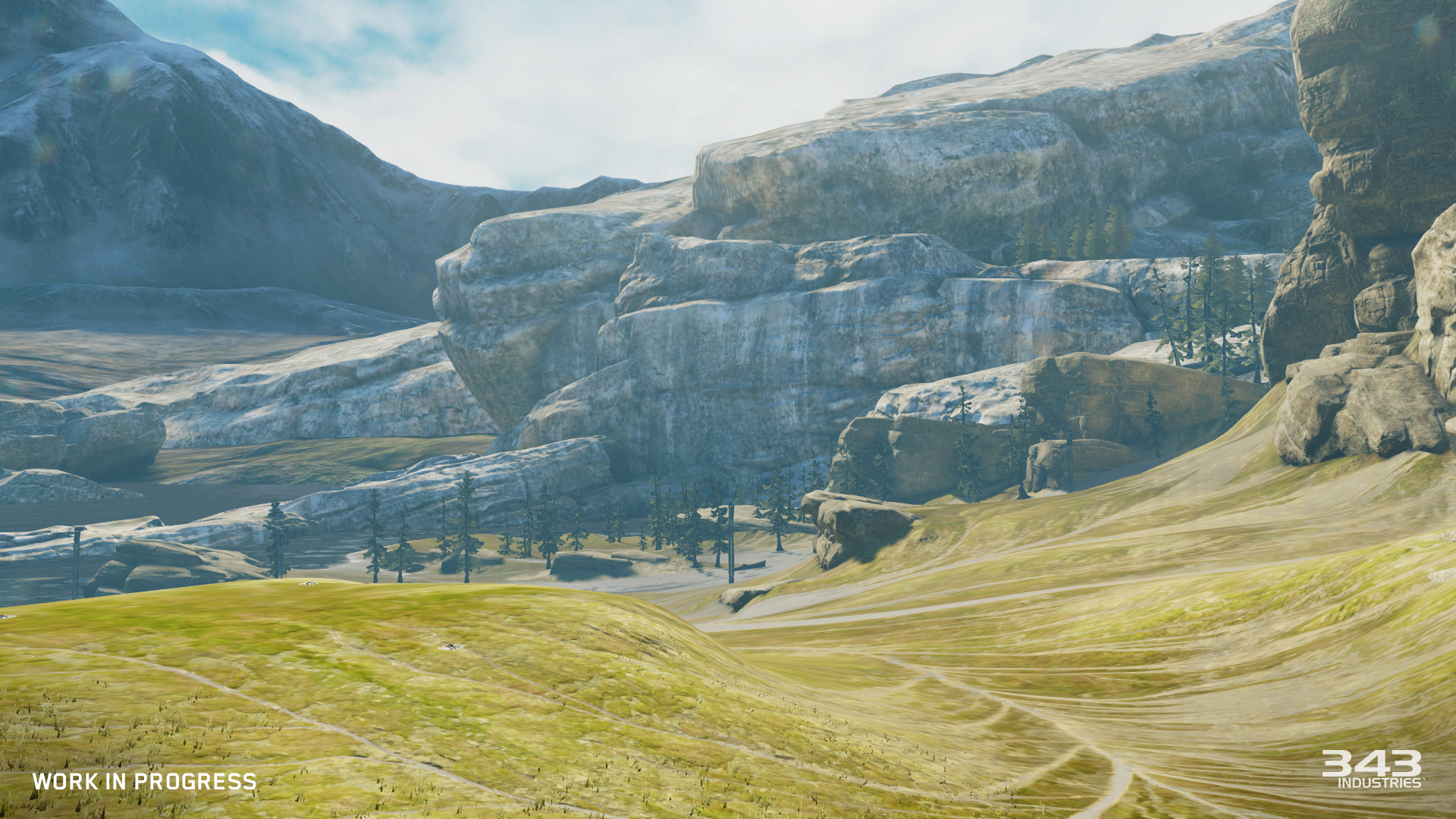
^—Alpine – A beautiful terrain with rolling hills sandwiched between a cliff side wall and lake front to rip a Warthog down. It has that classic Halo world look that feels like a chunk of the Pacific Northwest was transposed somewhere on a distant planet. We even left some space out in the water for building over which is fun. If you played our Halo 5 MP Beta, you would likely recognize this map from both Orion and Pegasus because they were built on top of it in different locations.
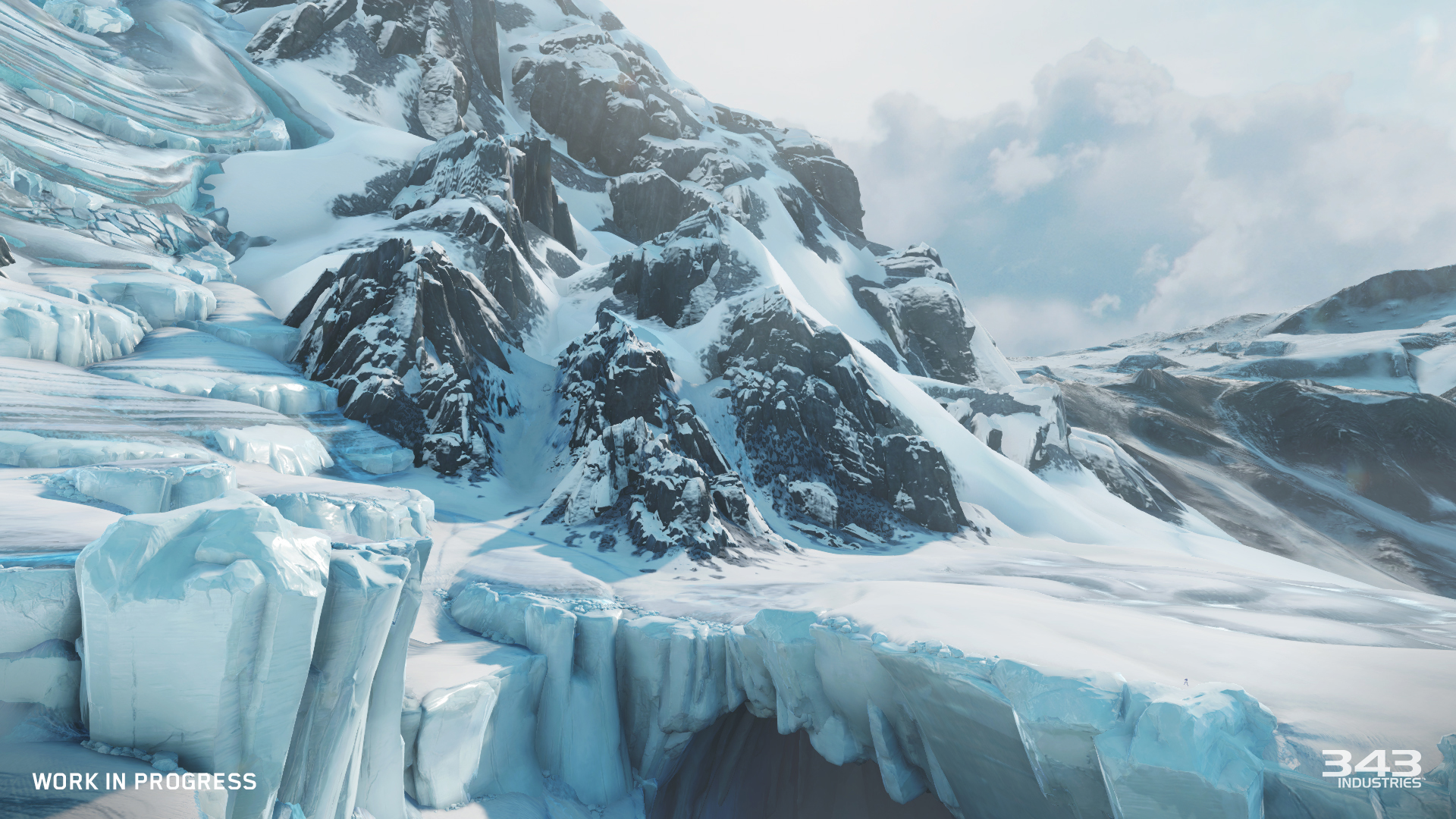
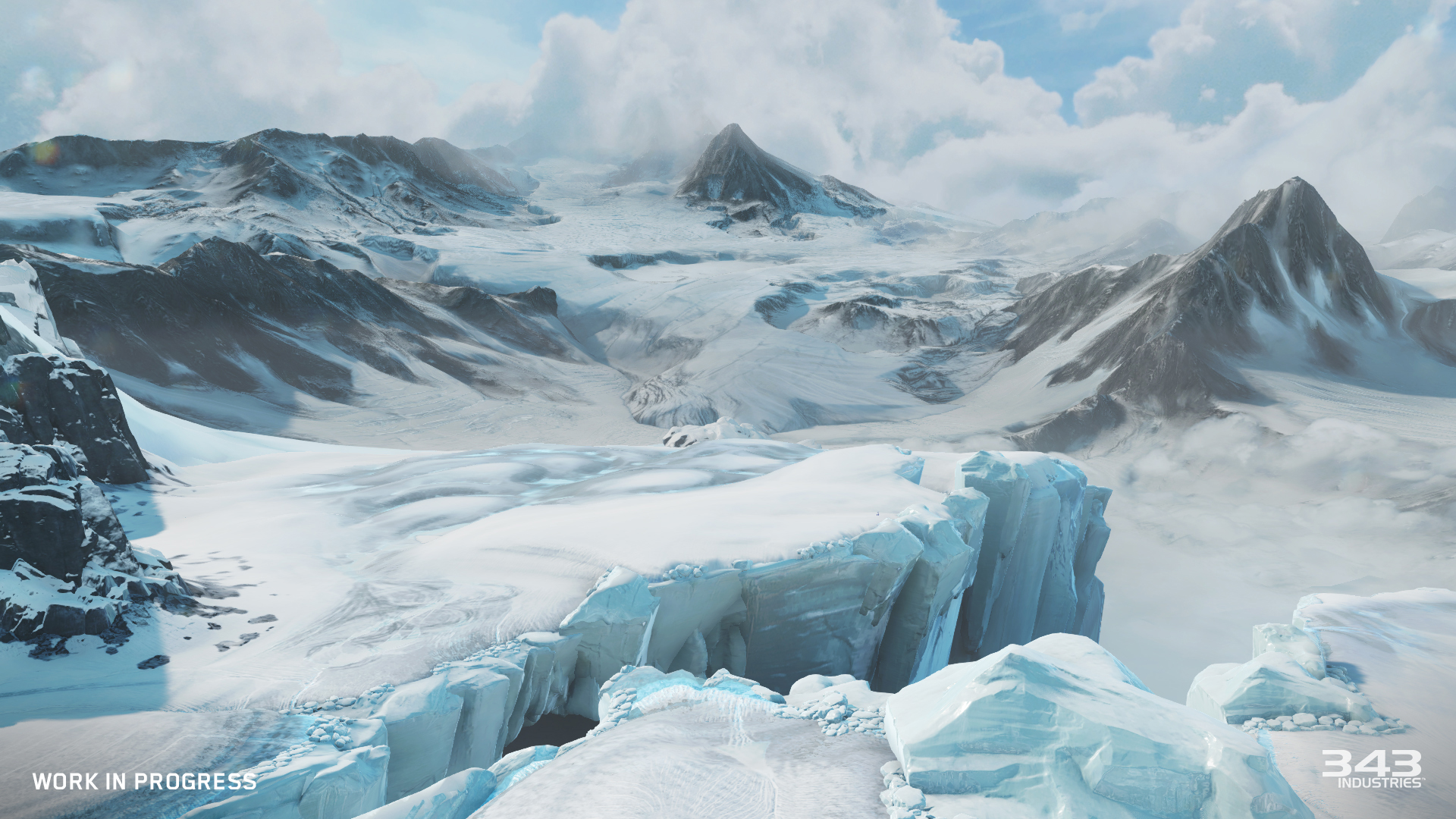
^—Glacier – A large snow and ice covered landscape with giant ravine cut down the middle. It’s pretty breathtaking to look at! So much that while it was up on someone’s screen today and Sparth randomly walked by it stopped him dead in his tracks so he could backup and say, “Wow! That looks amazing!” We agree.
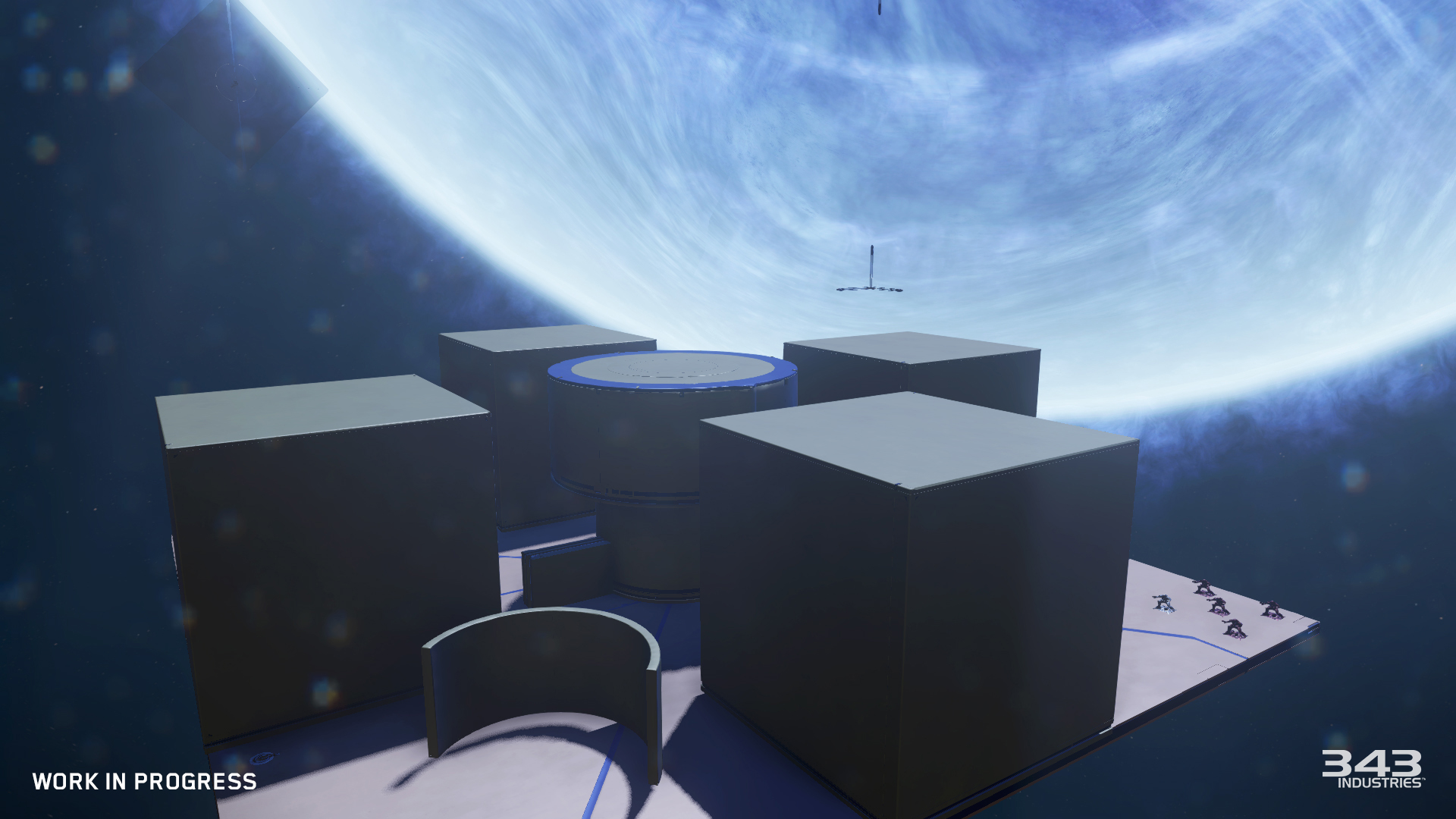
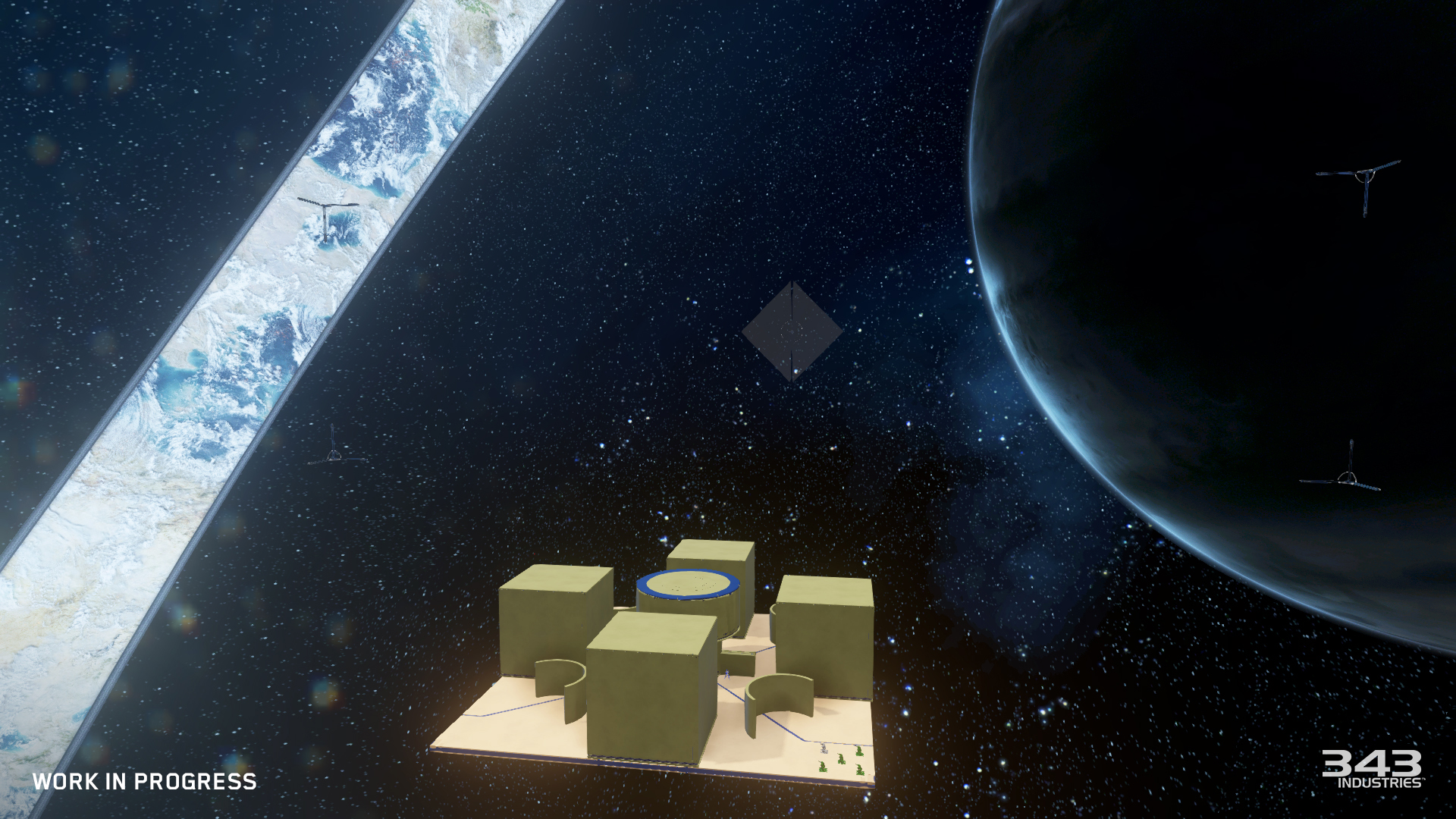
^—“Space” (name TBD) – Space has no terrain because, well, it’s space. It’s a big empty map with nothing nailed down but the boundary markers at the edges of the map which go away at game time. It’s pretty much as blank of a map as possible so the sky (or space) is really the limit.
Each of these maps has three different lighting themes that change the mood of the map. The themes changes general level lighting, background skybox, and other various effects; several of which are tunable in the map settings.
World of Color
Bloodshed is red, plasma is blue… What should I color this object?
- Primary, Secondary, & Tertiary Colors – The vast majority of the Forge building pieces have tunable primary, secondary, and tertiary color change sections on them. This allows objects color variations from the blatantly oblivious to very subtle. Many also support changing the matte/metallic reflective properties of the color surface as well allowing for more visual variety from location to location.
- 100+ Colors – We have more colors in Forge this time than most people had in their crayon boxes growing up; representing a wide range of shades and hues from across the whole color spectrum.
- Reference Colors – Objects placed in the level generally pre-assigned come with colors that point to “reference colors” that are tunable in the options. Changing these colors in the map settings will immediately update the colors on all of the objects referencing them. It’s a great way to experiment with map coloring quickly and easily without having to edit a bunch of individual objects.
BONUS ROUND!
- Scripting Redux – Almost every object in the new Forge can be scripted to move around, change colors, send event messages to other objects, spawn itself, and all kinds of other fun things. Objects can have up to four scripts that with a condition that will trigger an action when the event conditions are met. We even include a “logic switch” condition type that can wait for multiple conditions to be met before the action is triggered. It’s all super powerful and we can’t wait to see the crazy ways it gets used by the community.
- Redesigned Menus & HUD – The property menus have been reorganized around objects, map, and tool settings to keep related options and actions in intuitive places. Menus have controller shortcuts to help quickly jump through them. Objects are organized into the palettes in multiple places to help sift through the giant list of objects to find the right set of things to place. HUD content has been refocused around the new features to make sure it’s easy to know how many objects are selected, current grid settings, etc.
- Advanced Object Translation/Rotation Tools – Move and rotate objects based on world axis or based on own orientations, reset objects rotation with a button press, and more. There’s pretty much an option to manipulate objects even in the strangest/special case situations.
- Show All Boundaries – Turn this on when building perimeter kill volumes to help see all of them at once so it’s easy see how they all overlap and interact with one another.
After all of that, my blood is boiling to play forge before anything else at Halo 5’s launch. Its coming out at December? At least it gives me time to check everything out before I divulge into forge. Also, go to this page to ask the cartographers at forgehub some questions about the new forge!-> http://www.forgehub.com/threads/halo-5-forge-discussion-with-cartographers.149220/
This is Rectify Gaming and we will bring you more updates on Halo 5: Gaurdians and other things regarding to gaming. Signing out!

- Uncategorized
 Mini Review: Shadow Tactics: Blades of the Shogun (Switch 2 Edition)
April 6, 2026
- Uncategorized
 Nintendo announces Treehouse: Live featuring Pokemon Pokopia and Super Mario Bros Wonder
February 23, 2026
- Uncategorized
 Sonic Racing: CrossWorlds Nintendo Switch 2 Edition releases December 4
November 6, 2025


- UncategorizedMini Review: Shadow Tactics: Blades of the Shogun (Switch 2 Edition)
April 6, 2026
- UncategorizedNintendo announces Treehouse: Live featuring Pokemon Pokopia and Super Mario Bros Wonder
February 23, 2026
- UncategorizedSonic Racing: CrossWorlds Nintendo Switch 2 Edition releases December 4
November 6, 2025
- Uncategorized
 Review: Yooka-Replaylee
October 30, 2025