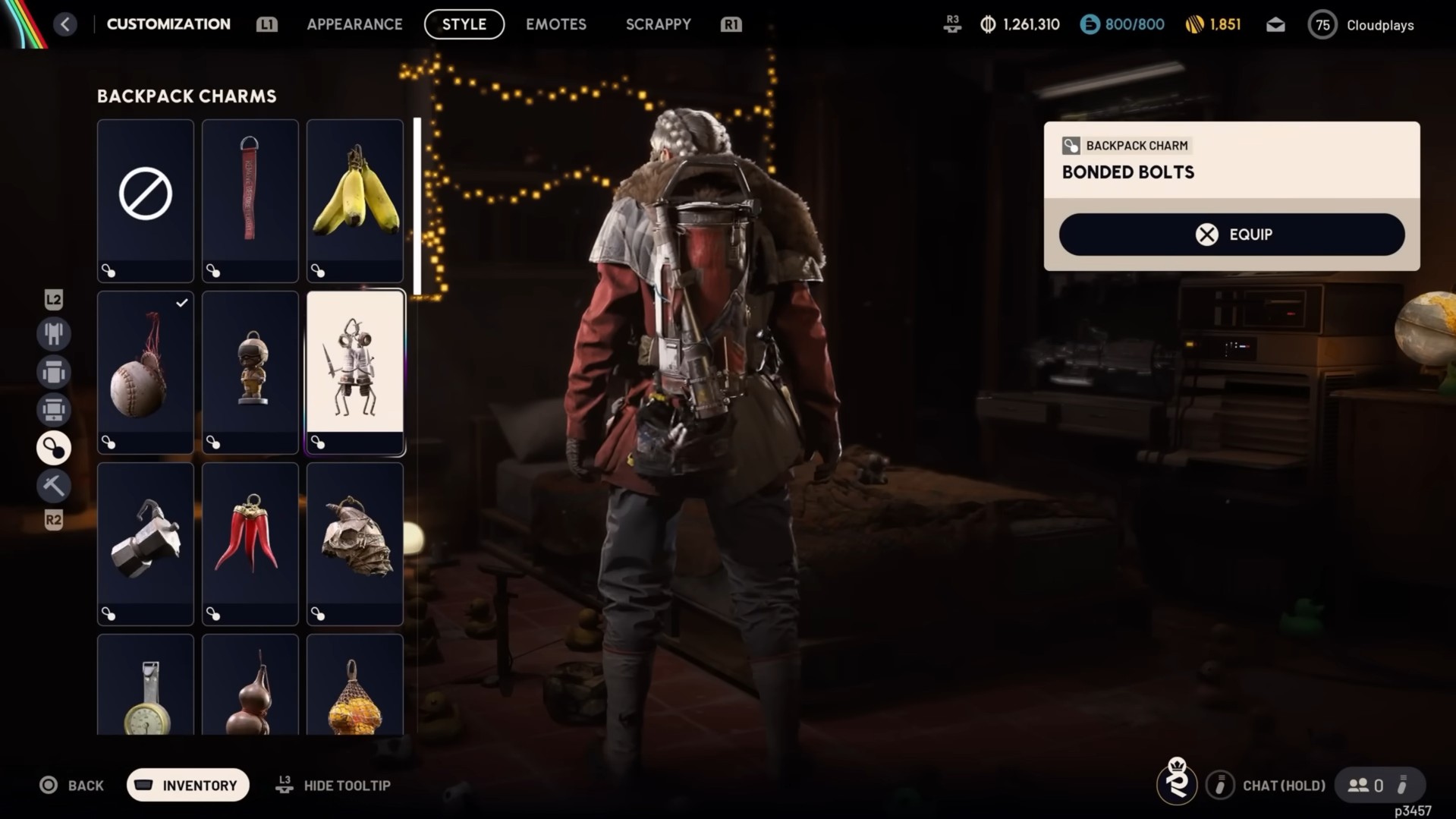
Discover everything you need to know about getting Bonded Bolts Charm in Arc Raiders, including how to equip it.
Arc Raiders have been continuously giving away free rewards to the players since its release. This time, the team gives away a free decorative item you can attach to your Raider’s backpack to personalize your character’s look.
It doesn’t affect gameplay, stats, or performance, but gives a unique look. The Bonded Bolts charm features two little robot-like figures made from screws and bolts. It’s currently available as a free, limited-time gift, so simply log in to the game and claim it.
Table of contents
Unlock Bonded Bolts Backpack Charm
The Bonded Bolts charm in Arc Raiders is offered as a free promotional reward and is tied to Valentine’s Day/ongoing events. Completing any mission, quest, or defeating specific enemies is not required to claim this reward. You just need to log in to the game and claim it.
It appears to be seasonal/limited-time, so claim it before the promotional period ends. Most players find the charm in their mail even if they didn’t log in on Valentine’s Day itself. If it doesn’t appear immediately, restart the game and check again later.
How To Claim Bonded Bolts Backpack Charm
Below are the steps to unlock the Bonded Bolts Backpack Charm in Arc Raiders.
- Launch Arc Raiders on your platform and ensure the game is updated.
- Go to the in-game Mail and look for the envelope icon.
- Find the message titled something like “Bonded Bolts Free Gift” from the developers.
- Hit the Claim option to add the Bonded Bolts charm to your inventory.
How To Equip Bonded Bolts Backpack Charm
Here’s how to equip a free backpack charm in Arc Raiders after you’ve claimed it in-game.
- After logging into Arc Raiders, open your in-game inbox and claim the free backpack charm.
- From the main menu or while in Speranza, open the Customization or Appearance menu.
- Look for the Backpack or Charms tab within the Customization screen.
- Your claimed charm is now in your charm collection.
- Highlight the charm and choose Equip or Apply to attach it to your backpack.
- Confirm your loadout changes and jump into a raid, allowing you to see the charm dangling from your backpack.