Discover everything you need to know about upgrading the weapons in Marathon, including the best attachments.
Marathon features 28 distinct weapons spread across eight weapon categories. Each weapon has its own combat role, requiring you to choose the one that suits your playstyle. The weapons you get earlier are of base level, meaning they’re not effective in combat.
Using the attachments/mods on them enhances their efficiency and capability to tackle enemies on a battlefield. Choose the mods that increase damage consistency, recoil control, reload speed, handling, and accuracy.
Table of contents
How Weapon Upgrades Work in Marathon
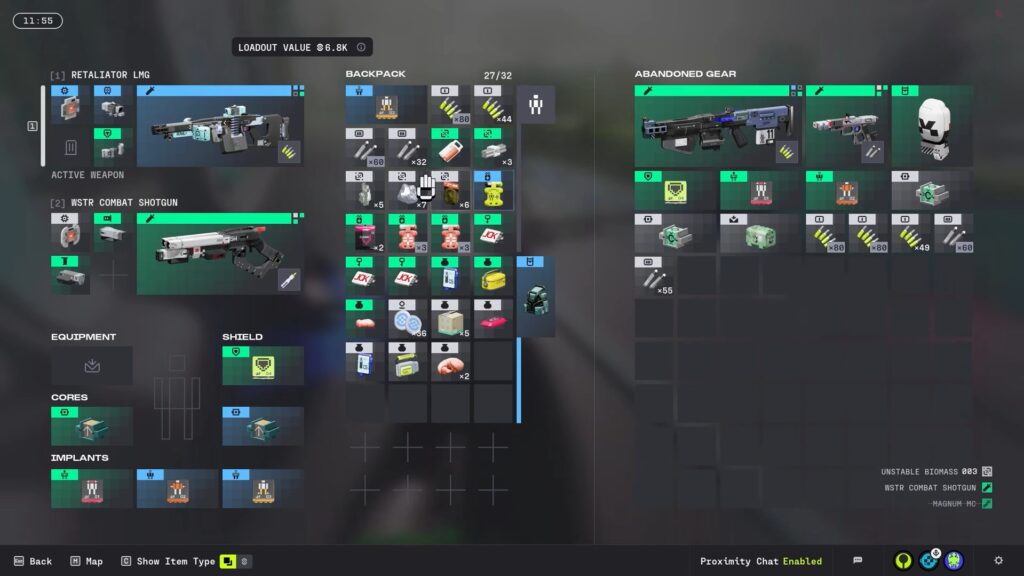
Unlike other extraction shooter games, Marathon doesn’t use XP or a leveling progression for each gun. The only way to upgrade your weapon is by using the mods or attachments in Marathon. Weapons come in rarity tiers like Standard, Enhanced, Deluxe, Superior, and Prestige. A common base rifle can be turned into a higher-tier weapon if you add better mods.
Steps to Upgrade Your Weapon
Below are all the steps to upgrade your weapons using the attachments.
- Open your weapon modification screen and inspect your chosen weapon.
- Inspect available mods indicated by a plus icon.
- Select the mod and apply it to your weapon.
- Swap or remove mods at any time, as they’re not permanently locked to the gun.
Make sure to remove mods from found weapons to reuse them on your favorite gun.
How Attachments Work in Marathon
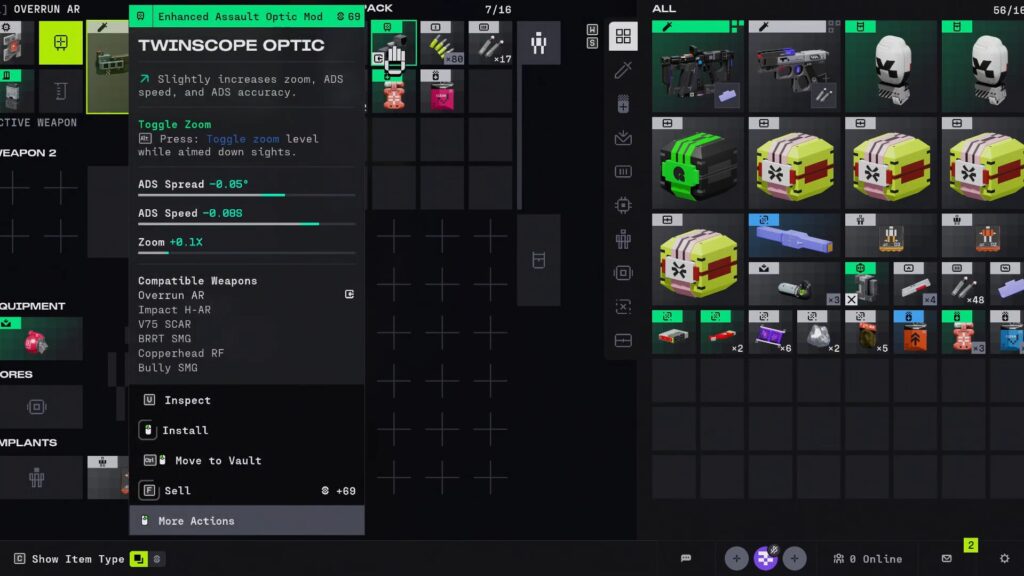
A weapon’s strength and rarity come from the attachments you equip. Choosing the best attachment for your weapon is crucial to make it more powerful than ever. A basic gun can become a top-tier weapon by adding high-tier mods. Removing attachments can reduce a weapon’s rarity. Below are the common attachment types in Marathon.
- Chip: Increase base weapon stats like damage, stability, handling, and reload speed. Every weapon has at least one Chip mod slot and can change how weapons feel.
- Magazine Mod: Affects the ammo capacity and reload speed. Faster reloads keep you in fights longer.
- Barrel Mod: Modify attributes like effective range, accuracy, spread, recoil, and handling.
- Grip Mod: Improves aspects of weapon control like recoil control, movement accuracy, and ADS.
- Optic Mod: Modifies sighting options like zoom levels, reticles, and target tracking aids.
- Ammo Mod: Possibly improves effective damage or special projectile features.
- Shield Mod: Provides protective covering on certain weapon classes and acts like a small physical shield while firing.
A weapon’s overall rarity tier in Marathon is often determined by the quality of mods equipped. Better mods make the weapon rarer and more powerful.
How To Get Attachments
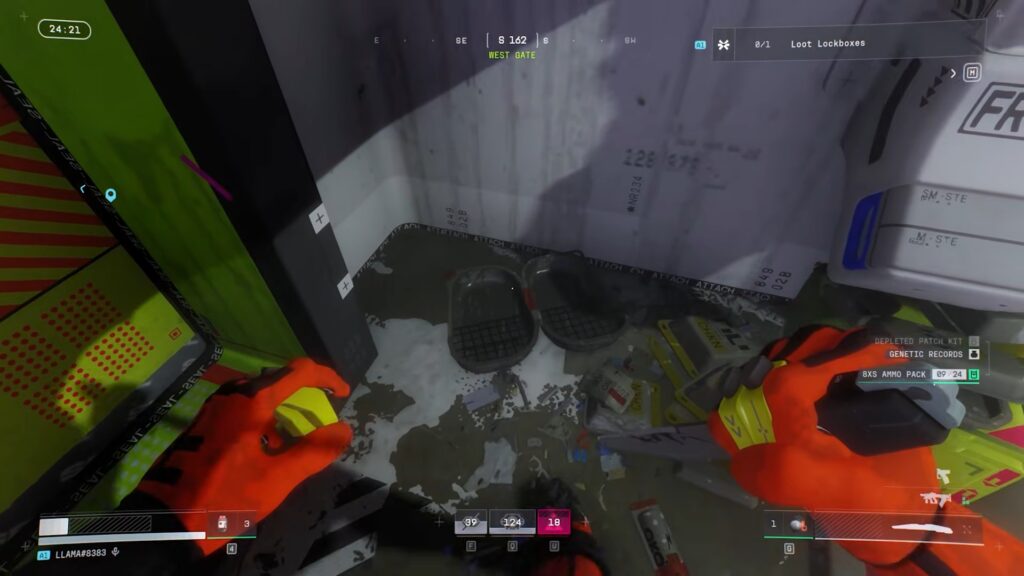
Attachments are more commonly obtained by looting them during a run. You can find mods in containers, supply crates, and enemy drops. Killing other enemy runner shells and defeating bots are the major sources of these mods for your weapons.
Use them to install directly from your inventory to your weapons on the fly. Make sure to check every container and enemy you defeat to get them.
Supply Drop
Some attachments come from supply drops that spawn during a match. They often contain multiple high-quality mods like rarer chip mods and premium optics. I recommend preferring these events to accelerate your weapon progression faster. Looting the attachments from the containers can be hectic, as not every container yields them.
Purchase From the Armory
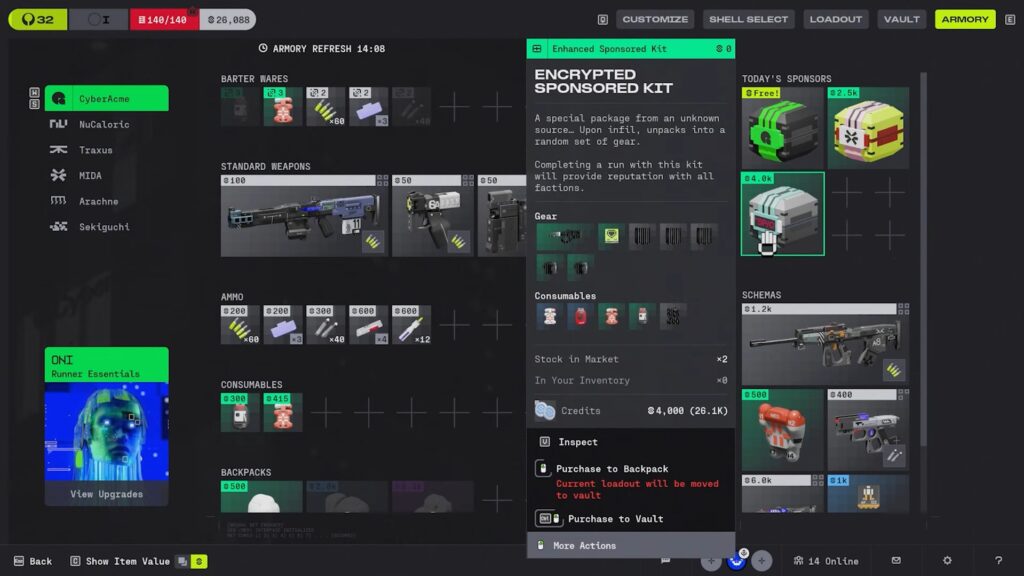
Marathon offers you to purchase some mods from the Armory using the in-game currency called Credits. These can be earned by completing objectives, looting items, and defeating enemies during a run. Items like Data Cards, Biomass, Diodes, and Gel are the best ones to grab for farming Credits.
The Armory has a limited stock of attachments, requiring you to check back regularly. The Armor is the best choice if you prefer specific upgrades for your weapon builds.
Removing Attachments From Weapons
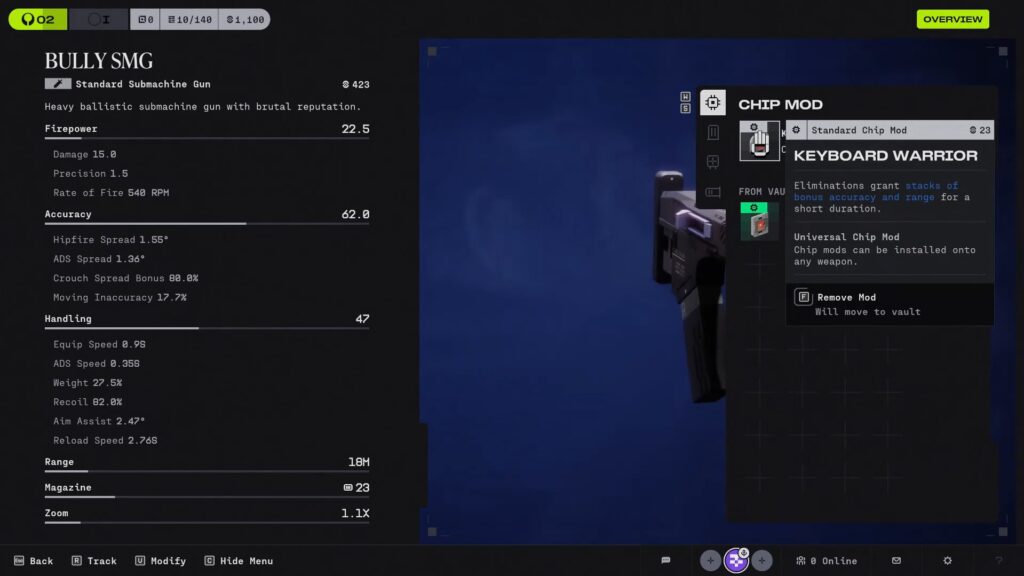
The last possible way to get the attachments is to remove the attachments from the extra weapons and use them on your favorite ones. This allows you to farm high-tier mods without requiring additional weapons in your inventory.
You can also choose to swap mods frequently to optimize their loadouts. Make sure to replace your base mods as soon as you find improvements to upgrade your weapons.
Attachment Priorities for All Weapon Types
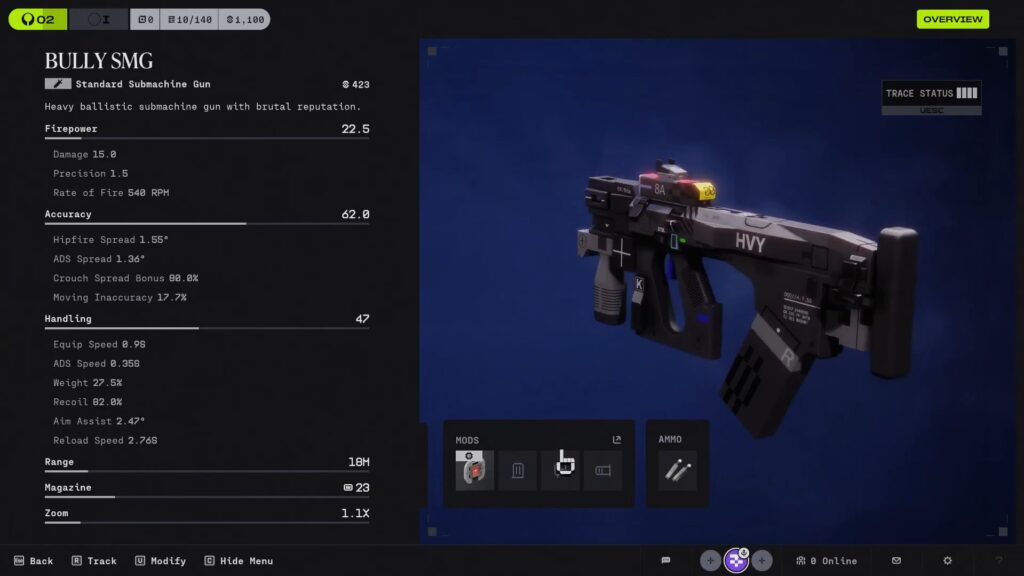
Choosing the best attachment for your equipped weapon is essential to make it more powerful and effective in combat. Chip modes offer the biggest baseline performance boost, allowing you to increase damage, stability, and handling.
Precision rifles and Ars benefit from range and recoil improvements. Shotguns, on the other hand, benefit more from spread control and damage boosts. The weapon doesn’t bring much if you choose the wrong attachment and start using it in combat. Knowing all these tips helps you choose the best attachment in Marathon.
| Weapon Type | Attachment | Effect |
| Assault Rifles | Chip Mods | Improve stability or recoil control |
| Barrel Mods | Improve accuracy and extend the effective range. | |
| Magazine Mods | Grants slightly larger mags and faster reloads. | |
| SMG | Chip Mods | Boost fire rate or close-range damage |
| Grip | Control recoil at high fire rates. | |
| Magazine Mods | Bigger mags to stay in longer fights. | |
| Shotguns | Chip Mods | Increase pellet damage or spread tightness |
| Spread Mods | Focus pellets on the target. | |
| Precision Rifle / Sniper Rifle | Optic Mods | For better target clarity. |
| Chip Mods | Improve long-range stability. | |
| Barrel Mods | Better range and control of recoil | |
| LMG | Magazine Mods | Increase ammo capacity and stability. |
| Chip Mods | Boost reload speed and stability. | |
| Grip Mods | Keep long sprays manageable. | |
| Railguns / Volt Energy Weapons | Chip Mods | Increase Volt damage or charge behavior. |
| Recoil Mods | For precision shots. | |
| Pistols / Sidearm | Chip Mods | Increase damage or fire rate. |
| Magazine | Enhance bullets’ capacity. |