E3 might be coming up quick, but that doesn’t mean there won’t be any updates for Xbox One. The team at Xbox are working hard on a bunch of new features, some of these are new ideas and the others build on the new features Microsoft introduced last month.
Here is what we can expect in the coming weeks:
120Hz Comes to Consoles
In April, Microsoft added variable refresh rate, 1440p resolution support, and auto low latency mode. In May, they are adding support for additional panel refresh rates. Gamers with gaming monitors and televisions that support a 120Hz refresh rate can now turn on 120Hz support for 1080p and 1440p output resolutions. This high refresh rate option means you can now take full advantage of displays with 120Hz capabilities.
Group Your Games and Apps
Fans asked for new ways to organize their library of games and apps. In response, Microsoft is introducing a powerful new enhancement to Pins which they call “Groups.” With Groups, you can create multiple collections of content made up of anything from within My games & apps. You can also assign custom names to each Group, organize and order them, and add individual Groups to Home. Groups will appear across My games & apps, Home, and Guide, so you’ll be able to access your Groups at a moment’s notice. Best of all, Groups are tied to your account, so they will automatically sync across multiple Xbox One consoles.
 Trim Clips Directly in the Guide
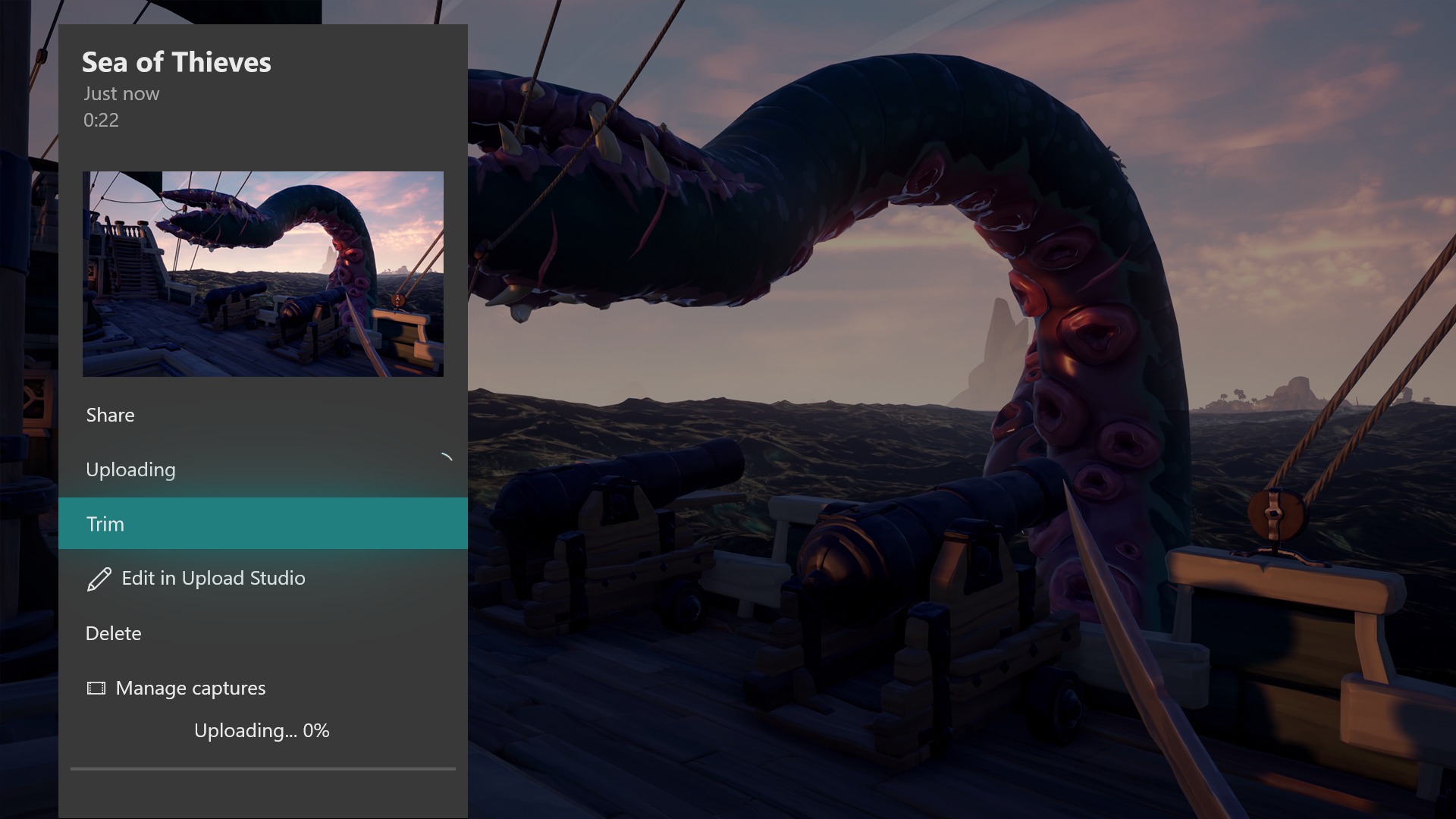
In March, they added a new sharing feature that helps gamers upload their captured screenshots and videos directly to Twitter. This month, they are improving on the sharing experience even further; you can now trim your recent game captures directly from the Guide, so you won’t need to switch to Upload Studio to make a quick cut to your saved clips.
Improved Family Settings
Xbox One is also helping parents keep their family safe with updates to family settings. They are adding a “Details” page where parents can easily find and manage all family settings on Xbox One. Parents will easily be able to tell which family and content settings are set up and configured. Important setting that are turned off or require attention will be flagged as well.

Improvements to the Xbox Accessories App
They’re also modernizing the Xbox Accessories app to make it easier to navigate, and to look and feel more consistent with the rest of the Xbox One dashboard.
Intuitive Button Commands
Changes are coming to some of the button commands throughout the dashboard. For example, you can now use the View button on Home to edit the order of blocks or reorder items within Groups. Pressing the “View” button on the main tab of the Guide will also now display additional capture options. If you group your collections in My games and apps by letter, you will now need to select a letter to view all groups.

- Uncategorized
 The Real-Time Technology Challenge Most Users Never Notice
June 30, 2026
- Uncategorized
 Mini Review: Shadow Tactics: Blades of the Shogun (Switch 2 Edition)
April 6, 2026
- Uncategorized
 Nintendo announces Treehouse: Live featuring Pokemon Pokopia and Super Mario Bros Wonder
February 23, 2026


- UncategorizedThe Real-Time Technology Challenge Most Users Never Notice
June 30, 2026
- UncategorizedMini Review: Shadow Tactics: Blades of the Shogun (Switch 2 Edition)
April 6, 2026
- UncategorizedNintendo announces Treehouse: Live featuring Pokemon Pokopia and Super Mario Bros Wonder
February 23, 2026
- Uncategorized
 Sonic Racing: CrossWorlds Nintendo Switch 2 Edition releases December 4
November 6, 2025