
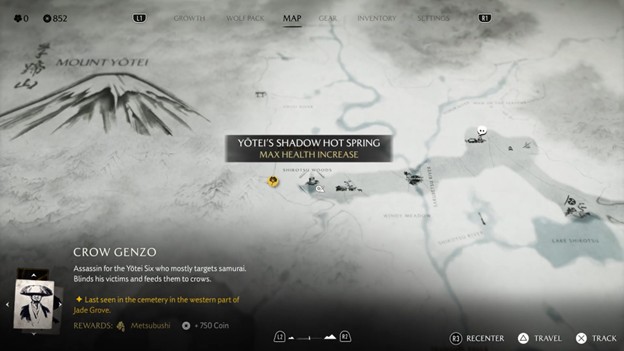
Discover everything you need to know about how to fast travel in Ghost of Yotei, including how to unlock this feature.
Traversing the world in Ghost of Yotei on foot can be hectic, but using the fast travel feature can make your day. It’s unlocked early into use, allowing you to move easily between important points on the map. Press the touchpad on your controller to open the world map and hover over the destination you’ve already visited. Press Triangle to start the fast travel.
Pick a specific location to arrive if the destination is a larger hub, like a settlement. You’ll be teleported to that location after waiting for the screen to transit. You will have more fast travel points if you discover more settlements and camps. In this guide, we’ll discuss how to fast travel in Ghost of Yotei, including how this feature works.
How To Fast Travel in Ghost of Yotei
Open up your map to fast travel in Ghost of Yotei. Any location that you have already been to, you’ll be able to fast-travel back to. Simply hover it, press the triangle on the controller, and you will arrive instantly. Once you visit any camp, it will be saved automatically on the map, allowing you to fast travel later when necessary. Use this feature to continue where you left off after progressing in a different area. You need to travel there before trying to fast-travel over there.
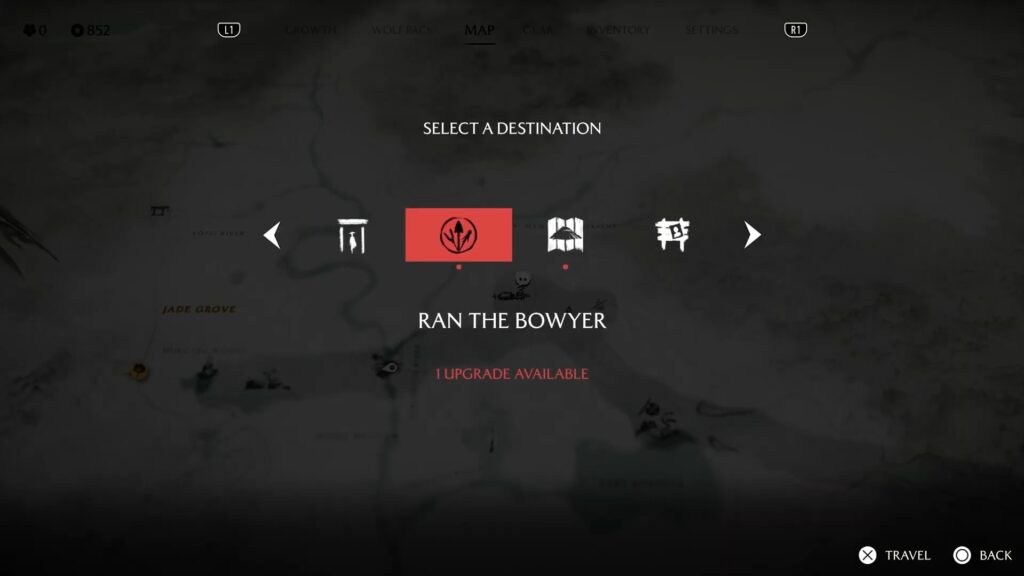
Once you pay a visit to a specific area, you can fast travel from anywhere on the map. Bamboo strikes, hot springs, marked settlements, and shrines are some POIs that you can fast travel to. Most areas offer more points of interest when you press the fast travel button in the area.
Use this feature to purchase items from a specific merchant in a particular location without wasting time traveling on foot over there. You don’t need to unlock the fast travel feature in Ghost of Yotei, as it’s available at the start of the game. The only requirement to use this feature is to visit the place once before to fast travel there.
- Press the touchpad of your controller to open the map.
- Hover over the location you want to move in.
- Locate the fast-travel icon marked above the place after visiting the place for once.
- Fast travel to the selected location by pressing the triangle.
- Set up the camp to use it as a fast travel if you find an area where there’s no spot to fast travel.
However, you are only allowed to last travel to previously discovered locations, allowing the players to play as they desire.