Background Music was enabled almost a week ago for the public audience giving gamers the chance to hear their favorite music and play at the same time. Today Rectify Gaming will bring up a quick guide to the gaming community explaining this process.
https://twitter.com/XboxQwik/status/761199558667870209
- Yesterday Mike Ybarra announced on Twitter “Simple Background Music Player” was available in the marketplace and that’s the first step you should do. Search for the app on Xbox Store.
- Going to your PC, proceed to grab a USB flash drive, create a folder with the name of “Xbox Music Library” and copy all the songs you’d like to hear into that folder.
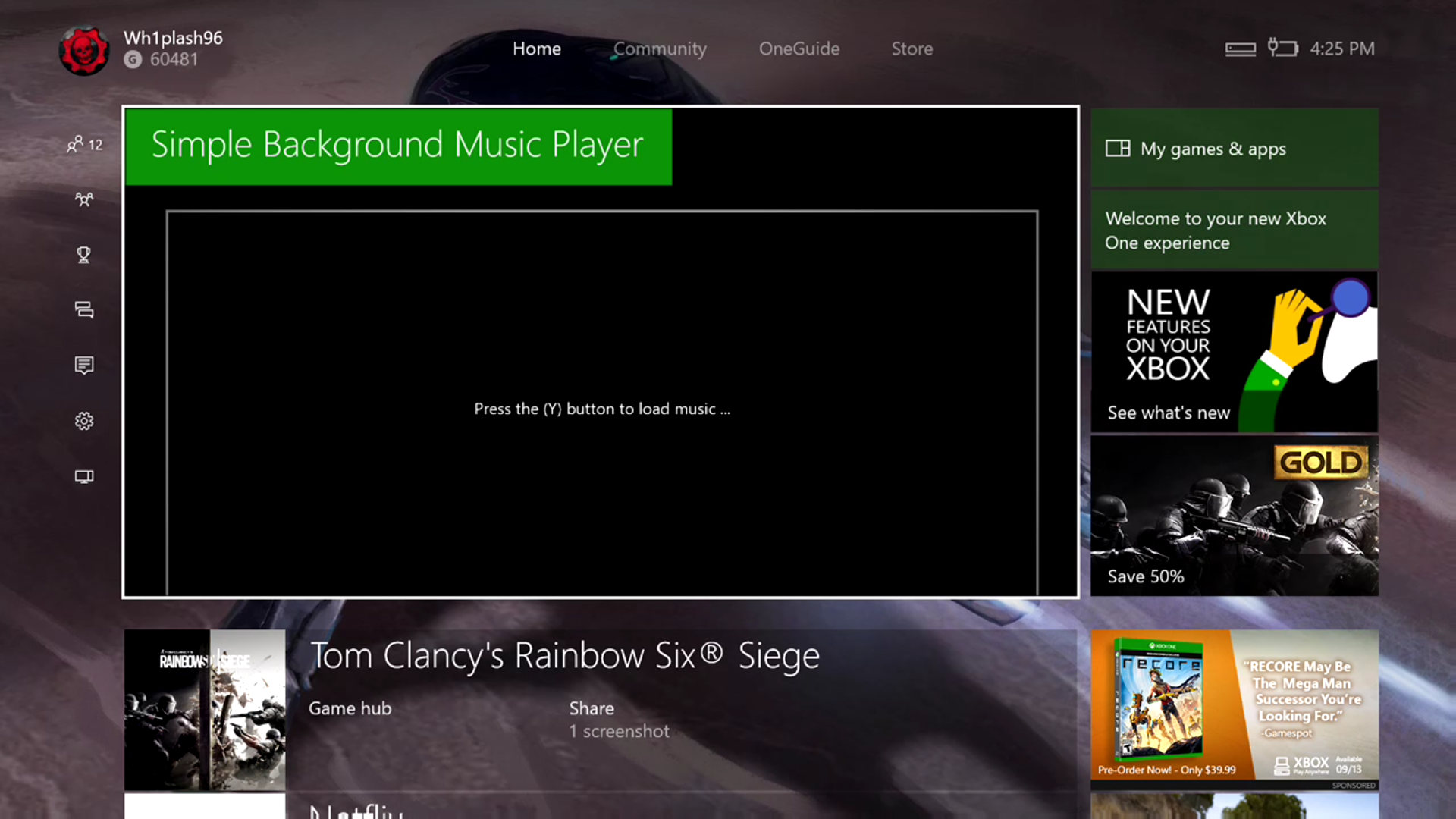
- After step 2 is done, go back to your Xbox One, open the app you installed and a screen should appear (see image below). That screen tells you to press the Y button to load the music – Do that and it should sync all the tracks you have on your USB drive.
- Aaand that’s it! Play a song, open a game and double tap “Xbox” button to change, stop, and lower/raise the volume.
Did you like this guide? Make sure to follow us on Twitter, like us on Facebook, and subscribe to our YouTube channel!

Related Articles
- Uncategorized
 Mini Review: Shadow Tactics: Blades of the Shogun (Switch 2 Edition)
April 6, 2026
- Uncategorized
 Nintendo announces Treehouse: Live featuring Pokemon Pokopia and Super Mario Bros Wonder
February 23, 2026
- Uncategorized
 Sonic Racing: CrossWorlds Nintendo Switch 2 Edition releases December 4
November 6, 2025


- UncategorizedMini Review: Shadow Tactics: Blades of the Shogun (Switch 2 Edition)
April 6, 2026
- UncategorizedNintendo announces Treehouse: Live featuring Pokemon Pokopia and Super Mario Bros Wonder
February 23, 2026
- UncategorizedSonic Racing: CrossWorlds Nintendo Switch 2 Edition releases December 4
November 6, 2025
- Uncategorized
 Review: Yooka-Replaylee
October 30, 2025