

Discover everything you need to know about all Memory Locket Locations in Hollow Knight Silksong, including how to find them.
Memory Locket is a rare item in Hollow Knight Silksong that can expand the selected crest to unlock the locked slots. Finding the Memory lockets can be challenging since they’re not located randomly. Each of these items is found in the different regions.
Using the Memory Locket is a little bit tricky, as you need to go to the Crest menu, select the type of Crest and tool to expand, and hold the button to expand the crest. Crest comes with different colors and slots, so choose the best one that complements your build. In this guide, we’ll discuss how to get all Memory Lockets in Hollow Knight Silksong, including how to use them.
What is Memory Locket in Hollow Knight: Silksong
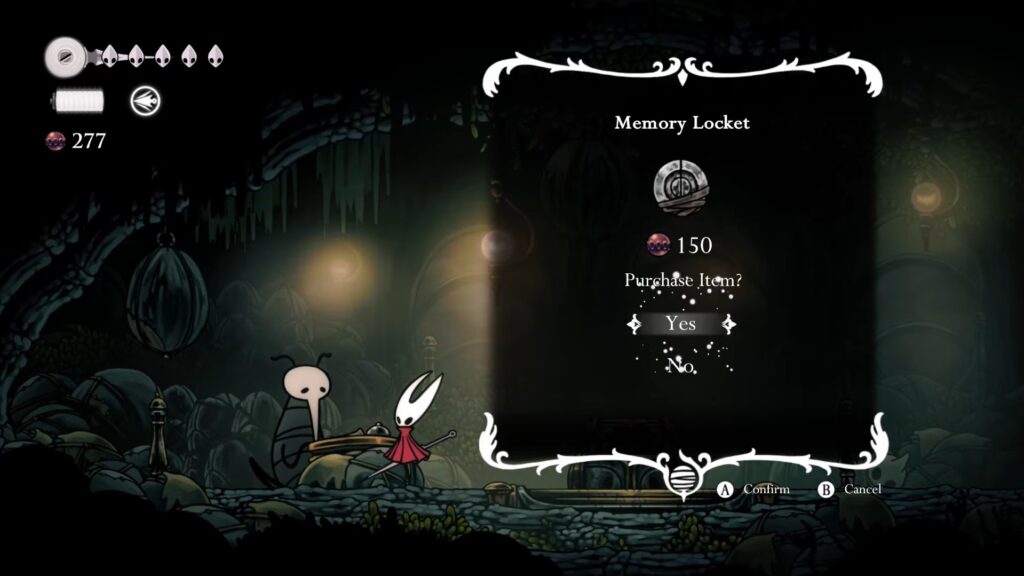
Memory Locket in Hollow Knight Silksong is a rare upgrade item that expands your crests. This item basically unlocks additional tool sockets on the Crest. You highlight a locked socket on your Crest and spend the Memory Locket while sitting on the bench. Crest then gains an extra usable slot of that color. The best crest to expand is the Wanderer Crest in the early game because you can use it easily.
Use this crest to remove the diagonal downwards attack. The Reaper Crest is also another good crest to expand, but it’s a bit slower. Use the Memory Locket to enhance the number of Tool notches on your Crest, giving you more flexibility during the journey.
All Memory Locket Locations
Below are the Memory Locket locations in Hollow Knight Silksong.
| Memory Locket | Location | How To Find |
|---|---|---|
| Memory Locket #1 | Moss Grotto | Complete the Volatile Flintbeetle to gain a Memory Locket. Once you’ve completed the objective, make your way back to the Bone Bottom. |
| Memory Locket #2 | The Marrow | Move to the upper area of The Marrow after unlocking the Cling Grip to obtain a Memory Locket. Move inside the next chamber on the right side after moving to the top northwest. Here, you can locate the narrow opening. |
| Memory Locket #3 | Far Fields | Make your way to Mort’s shop to purchase a Memory Locket. You can purchase it for 150 Rosaries. |
| Memory Locket #4 | Greymoor | Move to the right side of the Moorwing boss to locate the Memory Locket. Travel past the floor fan and continue moving to the right. Here, you can find this Memory Locket in the upper section of the room. |
| Memory Locket #5 | Greymoor | You need to cross the ledge by jumping over to reach the left side of Creige. Keep moving inside to get inside the chamber to collect the locket. |
| Memory Locket #6 | Hunter’s March | Travel to the rightmost section in this area and collect this item from a corpse just before the Chapel of the Beast. |
| Memory Locket #7 | Bellhart | You can purchase it from Frey by using 330 Rosaries after eliminating the Widow in combat. |
| Memory Locket #8 | Blasted Steps | Move to the dark passage in this region. Travel through this area and avoid the falling rocks. But before you need to drop down. You can find this Memory Locket past the hanging bells. You can pogo off to reach it. |
| Memory Locket #9 | Wormways | Move down to the base level from the bench available on the top of Wormways. Now, travel to the left and keep moving down after reaching the final portion. The locket is available at the dead end to the right. |
How To Use a Memory Locket
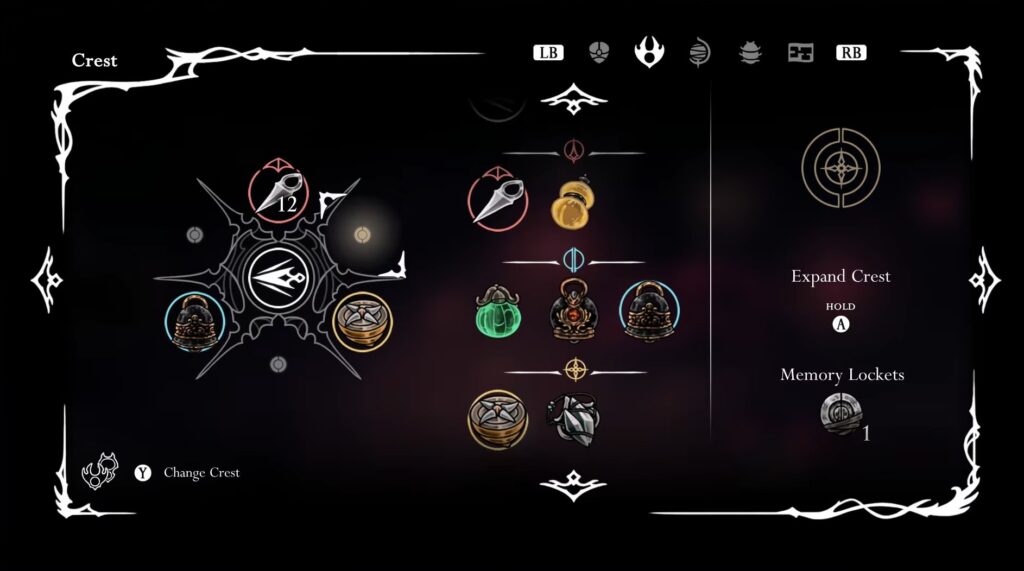
You need to rest on a bench to open the Crest menu. After that, pick up the crest you want to modify. The Crest will show existing filled sockets and some lock slots, and is indicated by a color. Move the cursor over a locked socket to see what color the slot is. It can be red, yellow, or blue. Hold the interact button while selecting the locked socket you want to expand.
Doing so will consume the Memory Locket and unlock the socket. You can equip a tool matching that color because the socket is unlocked. This allows you to expand options for offense, defense, or exploration in Hollow Knight Silksong. Keep holding the button till the circle turns into the corresponding symbol. Once it turns completely, you can add a Tool to use while sitting on the bench.